Search

Résultats de recherche

Affichage des articles dont le libellé est gadget. Afficher tous les articles

mercredi 29 juin 2016

Samsung Fast Charge Wireless review

samsung wireless charge pod qi

Samsung's new Galaxy S6 phones have built-in support for wireless charging. To ensure the best possible experience, the company released its own branded charging pad, and the gadget delivers on its promise — with a few minor caveats.

Wireless power could prove to be the next significant charging advancement in mobile technology. Samsung's on the forefront of that movement, thanks to its two new flagship smartphones, the Galaxy S6 and GS6 edge, both of which have built in support for the Qi and PMA wireless power standards. In other words, the two GS6s charge wirelessly without any extra case or accessory.


I've been using both GS6 devices along with the Samsung Wireless Charging Pad for more than a month, and that's been more than enough time to suss out the gadget's strengths and weakness. Here's a quick look at the pros and cons of the Samsung Wireless Charging Pad (EP-PG920I), followed by a short summary and conclusion.

What you'll like about the Samsung Wireless Charging Pad (EP-PG920I)

Setup is simple. Remove the pad from its retail packaging, plug in the included 2A travel charger, pop your compatible device atop the pad, and you're ready to ride the lightning.
It works as advertised. As soon as you plug in the Samsung Wireless Charging Pad and place a device on it, it immediately starts to power up your phone.
It has audio and visual status indicators. Depending on your device of choice, you get a number of audio and visual cues when a device starts to charge, when it's powering up and when the battery is filled to capacity. For example, if you're using a GS6 device (and your phone is not silenced) it beeps when you first place it on the charging pad and when it's finished charging.


On-screen notifications display when the device is removed to let you know charging has stopped. And the phone’s LED indicator lights up orange while charging and green when it's done, assuming you don't have any new messages. A light surrounds the upper edge of the charging pad, as well, and it glows a purplish-blue while charging and yellow-green when a device is full, so you can see progress in dim or dark environments.
It stays in place during use. Thanks to textured rubber pads on the top and bottom of the Samsung Wireless Charging Pad, its stays in place and doesn't shift easily when used on most surfaces.
It reduces wear and tear on charging ports. One of the most significant advantages of wireless charging is the capability to avoid excessive use of your phone's charging and sync port, so you reduce the possibility of damage over time. The Samsung Wireless Charging Pad lets you avoid using your phone's power port while charging.
Don't need to remove your case. I use Samsung's barebones "protective cover" on my GS6 edge, and it doesn't affect wireless charging at all. Samsung also says its charging pad works with "most third-party covers" intact.

What you might not like about the Samsung Wireless Charging Pad (EP-PG920I) 

It's not completely wireless. Despite Samsung's claim that the new charging pad lets you "say goodbye to tangled wires and lost charging cables," the reality is that you still need a cord to connect the pad to a power source, and that cord is just as likely to get tangled as any other cord. So, the Samsung Wireless Charging Pad isn't really wireless at all. It also does not have an internal battery, so it can't be charged and then used without being connected to a power source.

samsung galaxy s6 edge wireless chargingBrian Sacco

It's (mostly) wireless, but it ain't fast. It takes just about two hours to fully charge my dead GS6 edge using the charger that ships with the device, which uses Samsung's "Adaptive Fast Charging." It takes just under three hours to fully charge the dead device using the wireless charging pad.
It can actually drain power if used improperly. If you don't place your device firmly in the center of the round charging pad, it can get stuck in a loop of connects and disconnects, which rapidly drains your battery instead of charging it. This is easy to avoid — you just make sure your phone is properly placed on the pad. However, if you're in a rush, drop your phone on the pad and then leave the room, you may be disappointed to find a dead device. (I know I was.)
Wireless charging equals warm phone. If you charge your device for any extended period of time, it's going to get rather toasty atop the Samsung Wireless Charging Pad. It's doesn't get hot, but you'll notice the heat when you first pick it up off the pad. It's not uncommon for batteries to emit heat while charging, but the effect seems to be more noticeable when I charge wirelessly compared to a traditional, wired charge. 
It's slightly pricey. Samsung charges $50 for its new Wireless Charging Pad, which isn't expensive, but it's also not cheap. For example, you can get a generic, unbranded Qi-compatible pad for $7 on CellPhoneCases.com.
You need to use appropriate cable. Samsung says you can damage the charging pad if you don't use the appropriate cable to charge, so don't plan to use any spare cables you have around the office.

Is Samsung's Wireless Charging Pad worth $50?

If you own a Galaxy S6 phone, and you happen to have a spare $50, you'll find a friend in the company's new wireless charging pad. It works as you'd expect, you don't need to remove a case to use it, and it provides genuine value in the capability to reduce wear and tear on your phone's charging port. 
On the other hand, if you need to buy a separate case to use the Samsung's Wireless Charging Pad, you can probably find cheaper options online. You may also be somewhat disillusioned by the fact that it's not completely wireless, and it takes roughly 33 percent longer to charge your phone than traditional, wired charging. 
You can learn more about Samsung's Wireless Charging Pad (EP-PG920I), or purchase 

AKG D5 Review – Supercardioid Dynamic


AKG D5 is a cheap but rugged supercardioid mic. It offers similar but slightly superior sound to Shure SM58. Tighter pick up pattern also gives it more flexibility to deal with gain before feedback. This mic can thus be considered as a more viable, cheaper alternative. However, it does suffer from the same disadvantage, which is the lack of detail. When comparing to more advanced handhelds, D5 may kind of sound inarticulate but as a budget piece of equipment it actually performs pretty well.

Sound & quality

This mic has a promising frequency response that offers same amount of brightness as SM58 but without any abrupt bumps in high end. The low end is more stable as well – there is no mud and yet it gives a pleasant amount of richness. The high end is somewhat gentle but it has more clarity than Shure, and of course, it cuts through better. On the other hand, I find that transient response has a room for improvement. It just sounds a little blurry, and although those with shrill or harsh voices could potentially benefit from this, in normal circumstances it could be robbing you of some detail…

Gain before feedback

akg_d5_adD5 relies on AKG’s patented laminated diaphragm that is claimed to be less resonant and therefore more resistant to feedback. This appears to be true when comparing to SM58… and it’s quite decent, but slightly inferior to some Sennheisers. Provided it is supercardioid, D5 is also less likely to trigger feedback off axis, i.e. when not pointed to monitors. However, like all supercardioids it can trigger feedbacks if the monitors are placed in the middle rather than to the sides, because the rear end of the mic becomes receptive. If you are planning an upgrade from SM58 (cardioid) then please be mindful of those differences.

Features, build, durability

AKG D5 is equipped with an integrated pop filter that does a good job in reducing pops and blowing or wind noise. In terms of handling noise, it does not stand to the claims and it’s noticeably worse than Shure. Nevertheless, I believe it has more to do with its supercardioid pattern that naturally makes it more receptive – rather than a flawed design.
The microphone design is simple but very durable. It has a die-cast metal body and the mesh grilles are made of spring steel. This implies that even if you smash the grilles nothing will happen, as they will just spring back to normal. It’s also unlikely to develop scratches, unless it meets concrete or other coarse materials, so it’s one less thing to worry about.

Three reasons to buy

  1. Anyone who needs an affordable, decent sounding mic can look into D5. Although SM58 is more common, it actually takes a good sense and lots of time to fiddle with EQ, whereas this mic performs much better out of the box.
  2. Amateur singers don’t necessarily need mics that provide lots of detail. On contrary, they may even benefit from the extra smoothing that D5 provides. Especially those with imperfect technique and harsh or shrilling voices.
  3. In addition to the above, this is also the mic you can pass to anyone without any back thought because it’s cheap and durable. If you’ve ever worked with drunkards who occasionally tend to drop mics, you will understand.

Pros

  • Good bang for the buck
  • Balanced frequency response
  • Decent overall sound
  • Above par gain before feedback
  • Easily cuts through the mix
  • Very durable, rugged design

Cons

  • Lacks detail/ blurrish
Best Price on AKG D5
$74.50
Review score
  • Very good! - 8/10
    8/10

COMMENTS

  • George
    What mic would you recommend for a rock singer… D5 or e835?
    • Peter
      Both are actually great budget mics. AKG D5 is more versatile, it works with different vocals and can easily handle something heavy. On the other hand, if you mostly play soft and melodic, e835 would suit it better.

LEAVE A COMMENT

Best earbuds in 2016 review

OUR #1 PICK
Immaculate sound quality, sleek design and a lifetime warranty put the Skullcandy INK’D earbud headphones far ahead of the competition. During our testing, we were constantly surprised at how well the Skullcandy headphones performed. They are far-and-away the best sounding pair of earbuds we reviewed (and one of the most comfortable, too). The lifetime warranty carries the caveat that it only applies if a customer service representative allows it and, though this initially concerned us, the warranty is quite lenient in practice.
The Skullcandy INK’D earbuds win our Top Ten Reviews Gold Award primarily for their fantastic sound quality. If you want the best-sounding pair of earbuds you can buy for less than $50, the Skullcandy INK’D in-ear headphones are your best choice.
 
Price: $14.99
- See more at: http://www.toptenreviews.com/headphones/#sthash.lrnkoVPl.dpuf

The Best Headphones of 2016

With the ever-increasing emphasis on portable, digital music devices, headphones and earbuds are more popular than ever. The best headphones reproduce audio the way the artist intended you to hear it. To help you judge which device is best for you, we analyzed and compared the frequency responses of each headphone's audio drivers to find the best-performing headphones. We also considered the comfort features so that you get the best sound with the best fit. So whether you're looking for wireless earbuds, waterproof headphones, Bluetooth headphones or bass headphones, Top Ten Reviews will help you find the truest, most comfortable headphones for your ears.
- See more at: http://www.toptenreviews.com/headphones/#sthash.GwUv1Nr8.dpufBass Headphones Review
TopTenREVIEWS - Gold Award - Awarded for excellence in design, usability and feature set
Our #1 Pick
If you want to feel that deep, booming bass and hear it in perfect clarity, try on a pair of V-MODA Crossfade M-100 headphones. This over-ear, stylish and comfortable set not only produces superior treble and mid-tones, it creates that deep pulsing bass that normally only thrives at a concert or on a dance floor. Design your own logo or choose from a wide selection of vibrant colors to display your unique style while jamming with the best bass headphones. Due to their excellence in producing low bass while maintaining quality in design and sound, we give the V-MODA Crossfade M-100 headphones the Top Ten Reviews Gold Award.
- See more at: http://www.toptenreviews.com/headphones/#sthash.GwUv1Nr8.dpuf


Headphones wireless review


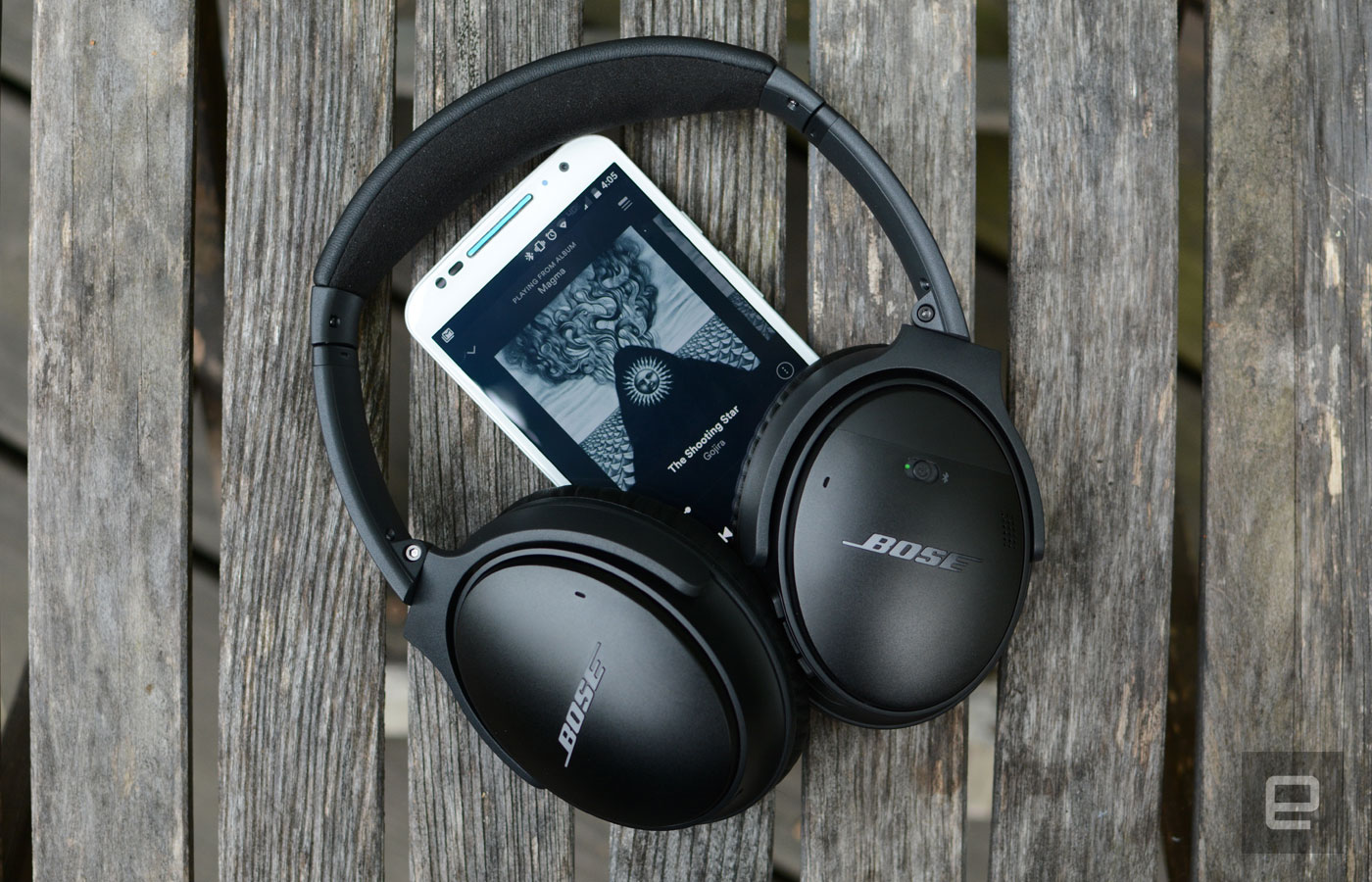
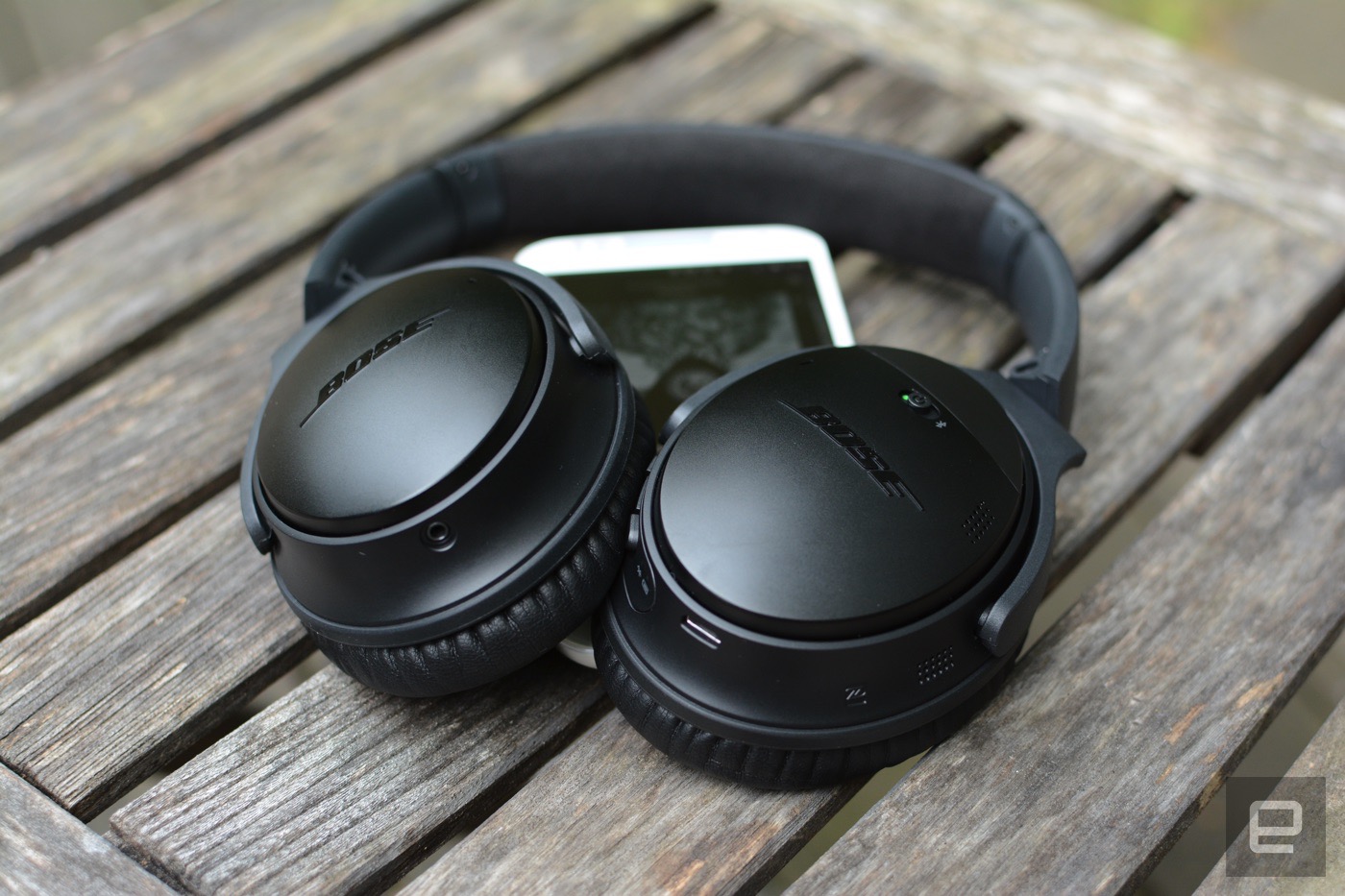
When it comes to headphones, it can sometimes be easy to forget aboutBose. The company doesn't debut new models as frequently as the competition, choosing instead to focus on quality, comfort and its highly touted noise-canceling tech. Bose's previous noise-canceling model, the QC25, has been around awhile, and despite its popularity, there was one thing missing: a wireless edition. Announced just over a week ago, the QuietComfort 35s mix that trademark sound and feel in a $350 package. I spent a few days using the headphones to see if they met my high expectations.

Gallery: Bose QuietComfort 35 wireless headphones | 20 Photos

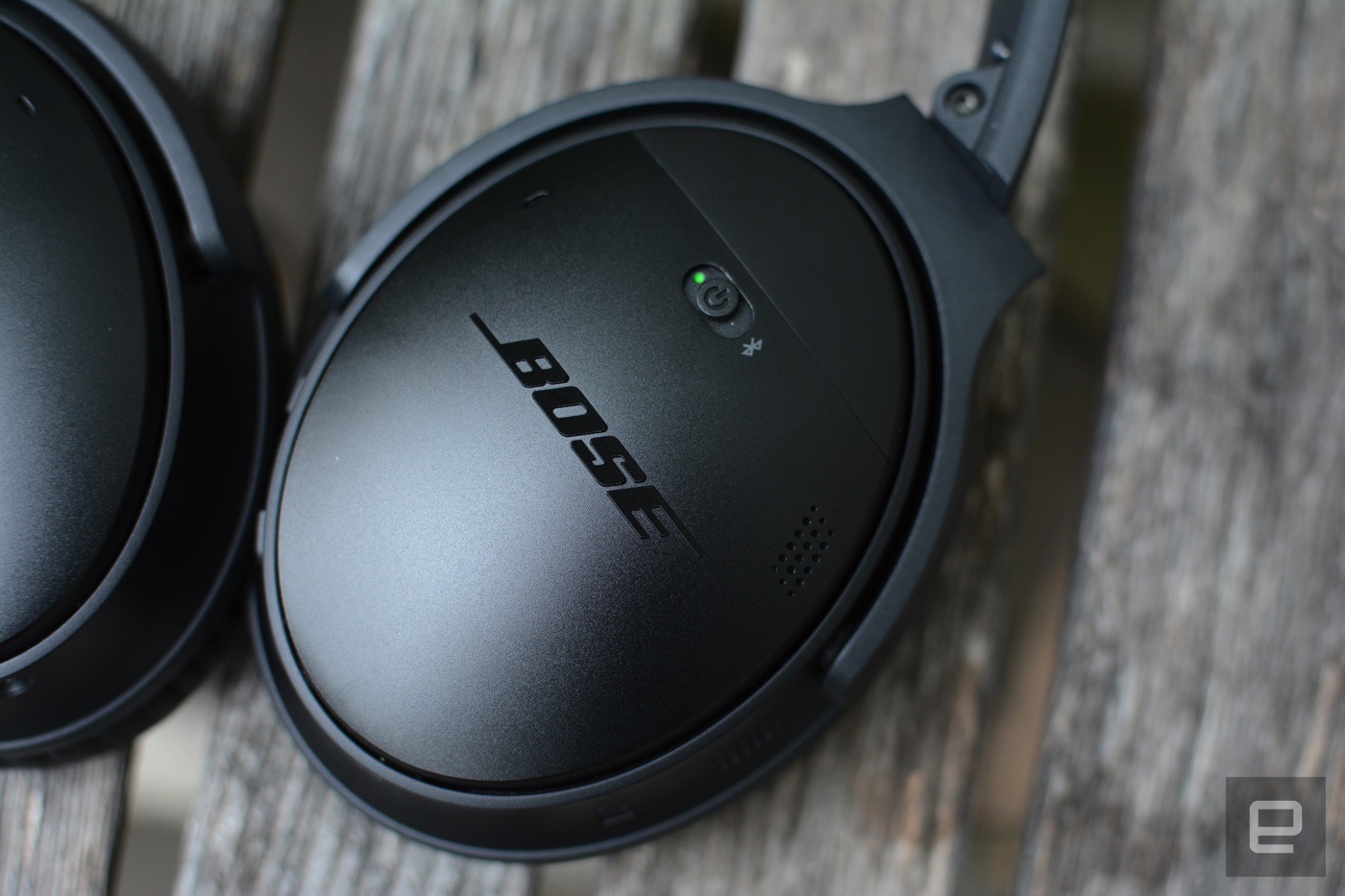
Let's start with the aesthetics. Unlike rivals such as Beats and SMS Audio, Bose never attempted to win us over with fashion. And it doesn't really need to, given its knack for a comfortable fit and external noise blocking. These new QuietComfort 35s have a design similar to that of their predecessor, the QC25, except they come in all black (pictured) or silver. Personally, I prefer the more sophisticated solid color scheme over the previous two-tone look. It's a subtle change, but an improvement nonetheless.
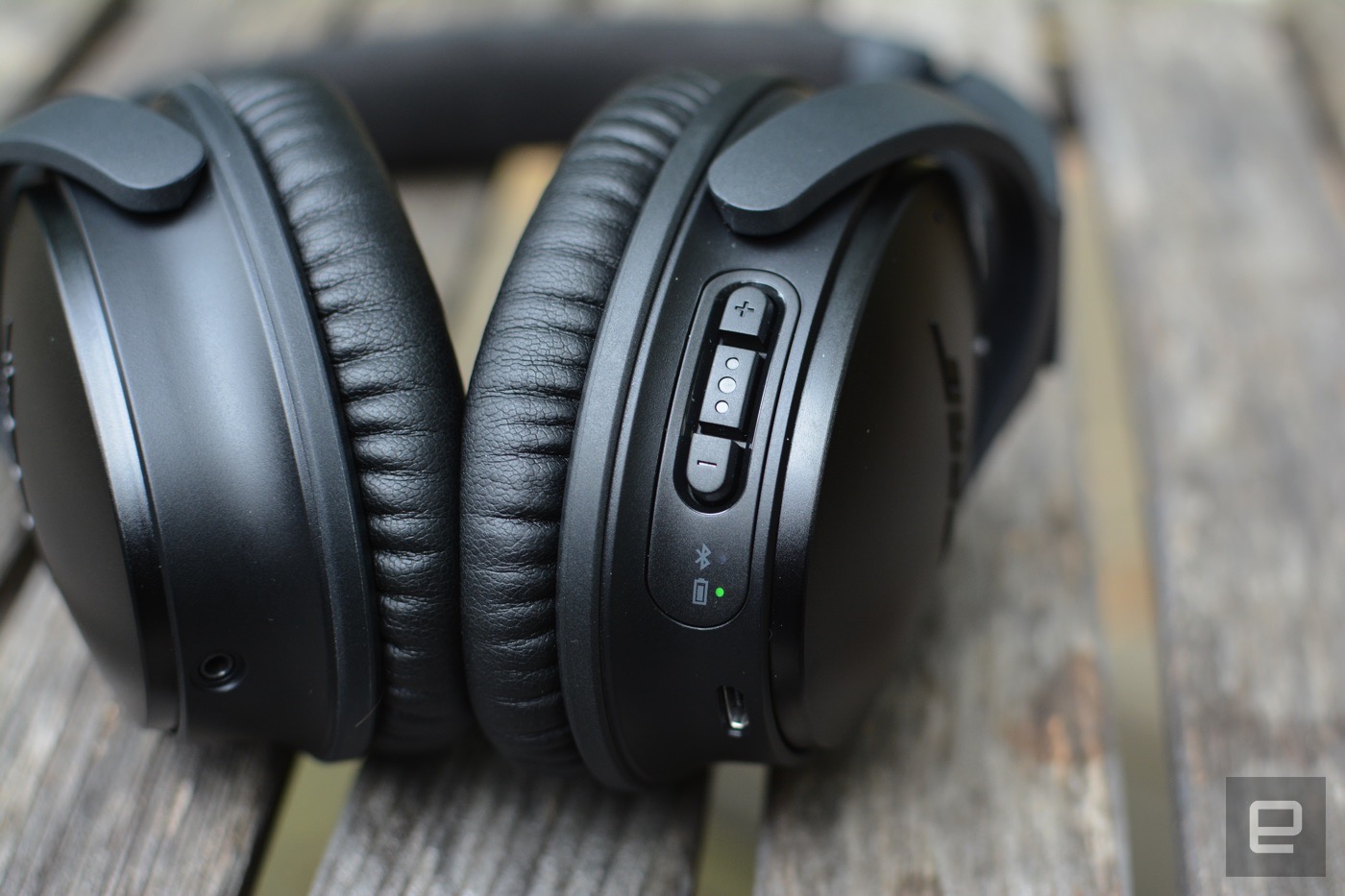
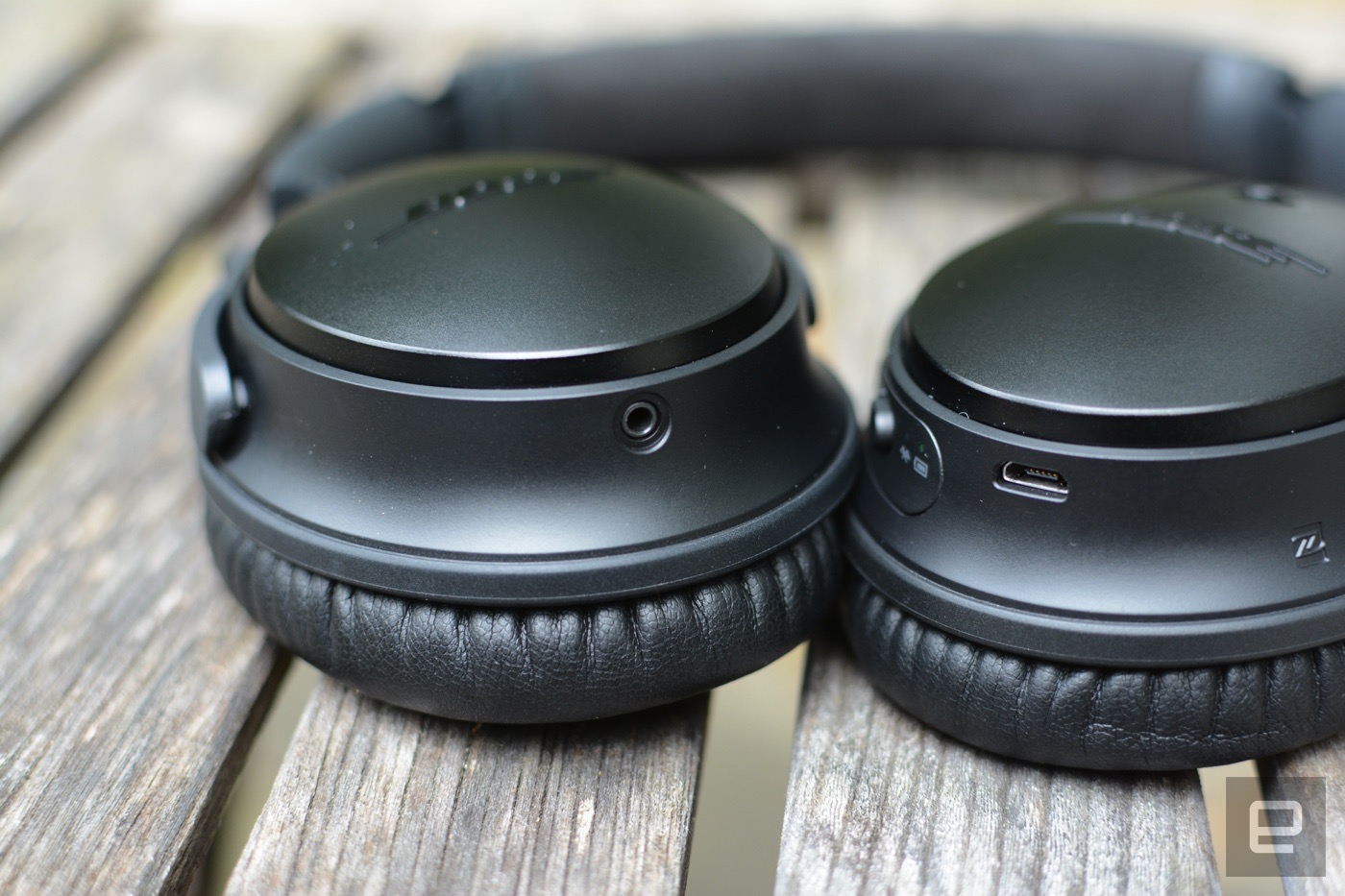
All of the controls are on the right ear cup, with a power slider on the outside shell that doubles as a Bluetooth pairing button. Along the rim, there are volume controls and a play/pause key beside LED indicators that let you know when the headphones are paired and when the battery is running low. A double click on the play/pause button will skip ahead to the next track, while a triple click will go back to the previous song. Typically these controls are scattered across individual buttons, which are sometimes on the outside panel of the ear cup. Bose has assigned them to a single control, and honestly, it's a much better solution.
The QC35s are made of glass-filled nylon with a leather outer headband and ear pads. The frame may look like plastic, but Bose says otherwise, and the nylon is advertised to be more durable than regular plastic, too. There's also a matte finish, which helps the headphones to not look cheap. Bose's choice to go with nylon also keeps things lightweight -- something I'll address more in a moment.
The inside of the headband is actually made from Alcantara, a softer material used in luxury car interiors. The ear pads are soft and cushy but provide enough insulation between your head and the rim of the ear cup to keep things nice and comfy, even during long listening sessions. In addition to folding in for easy stowage in the included case, the ear cups themselves also rotate to sit flat -- a common feature for headphones these days.
In terms of the overall weight, Bose nailed it. These are the first headphones I can remember using that didn't cause at least some type of discomfort after an hour or so of continuous listening. The combination of the weight, along with the tension of the headband, keeps things super comfortable, and the QC35s never felt like they were pinching my head. It's easy to understand why Bose's gear is a top choice among frequent fliers.
When it comes to pairing a Bluetooth speaker or headphones with a mobile device or laptop, it's not uncommon to have to try a few times. There are exceptions, but for me, pairing a device rarely happens on the first try. That wasn't the case here, though: I had no trouble linking the QC35s with my MacBook Air and Moto X. The ability to get everything up and running in a matter of seconds is always a good thing. If you prefer to make the connection via NFC, the QC35s support that as well. Once paired, the Quiet Comfort 35s will let you know how much battery is left, as well as announce which device you're connected to. For example, you'll hear "Now connected to 'Billy's MacBook Air'" or some such. You can turn off the voice prompts if you prefer, but I appreciated getting an update on the power level.
What about using these headphones for in-flight entertainment? The company isn't leaving travelers without a way to tap into the music and TV an airline offers to pass the time. There's an airline adapter included with the QC35s that plugs into those headphone jacks at your seat. You'll have to use it wired, but it's a pretty nice touch, if you ask me.
With the QuietComfort 35s, Bose continues its tradition of solid audio quality. Everything is crisp and clear, with a respectable amount of bass for a well-rounded sound. The low-end tones are nowhere near what's become the norm on headphones these days (read: overpowering), but there's still enough bass to give you some thump when a song demands it. The QC35s sounded good across a wide variety of genres, including hip-hop, electronica, bluegrass and metal. At higher volumes, I noticed the headphones favored treble a bit more than at a medium or low level. Some songs showcased this more than others, but when I did notice it, I quickly reached for the volume controls to try and remedy the issue. I didn't encounter any of the distortion that some others have, even with both my phone and the headphones cranked all the way up.
Speaking of volume, the QuietComfort 35 is a strong performer. Sometimes wireless headphones and earbuds just aren't loud enough for most people to like to listen to at near-deafening levels. I'm happy to report that these headphones are an exception; they get pretty loud. Thankfully, they stop short of painful, so unless you've already suffered some hearing loss, I doubt you'll take issue with the volume here.
Bose promises 20 hours of battery life in wireless mode, and that's with noise canceling enabled. I actually got a bit more time out of them. I needed a charge after about a week of using the headphones for about three to four hours a day. In wired mode, you can expect battery life to double, even with noise canceling turned on. When you do run out of juice, though, the QC35s will function just fine as a passive set.
The only real gripe I had with battery life is that the headphones don't turn off automatically, or at least I thought they didn't. I left them on overnight by accident and they were still on the next morning when I woke up. I didn't realize at the time that the Bose Connect app (iOS and Android) allows you to switch on an "Auto Power-Down" feature to save your battery when you forget to shut them off yourself. That time can be as little as five minutes or as long as three hours. By default, that feature is disabled, hence my overnight battery drain. The app also lets you manage connected devices, tweak settings and download any updates.
With the Bose QuietComfort 35, the company finally caters to those who've been clamoring for a wireless version of its popular noise-canceling headphones. Faithful fans of the brand won't be disappointed either: The company's trademark noise cancellation, crisp audio quality and comfortable fit make these some of the best wireless headphones I've tested. Sure, they don't have a flashy design, but they do their job, and they do it well for at least 20 hours on a charge. Perhaps the only surprise here is that Bose set the price at $350, just $50 more than the wired QuietComfort model. That's on par with other sets, which is really just the bow around a rather stellar package. My expectations for the QC35s were high, and Bose managed to exceed them with another great product.
Update: This post originally stated that the included adapter was a wireless dongle for use on an airplane. It's actually only for wired use with a 3.5mm cable. The text has been updated to correct the error.